KeyPath
Keys that do more.
Remap keys, launch apps, tile windows, and automate workflows — all without leaving the home row.
Pre-release · Requires macOS 15+ (Sequoia) · Apple Silicon or Intel
Launch Anything, All From Home Row
Turn shortcuts into muscle memory — bind any key, chord, or layer to open tools, dashboards, and files instantly.



Total control, speed and comfort
Any of these gestures can open apps, URLs, or workflows.
10 packs included
Pre-built keyboard enhancements — enable any of them with one click
Or build your own — KeyPath supports all Kanata features
Explore alternate keyboard layouts
Switch layouts instantly — no firmware flashing required
Hover to learn more
Plus AZERTY, QWERTZ, JIS, and international variants
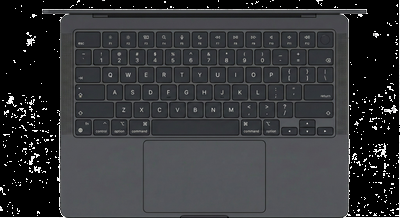
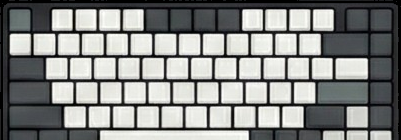
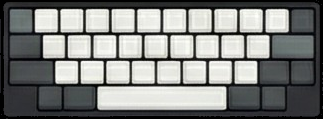
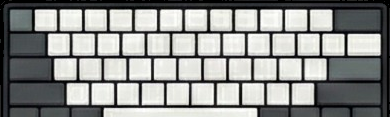
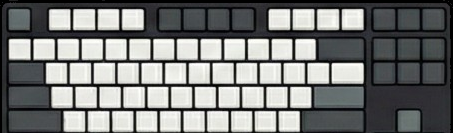
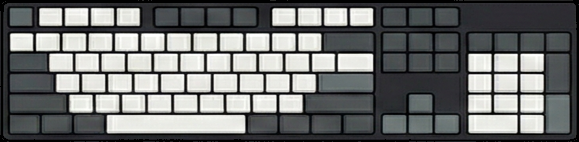
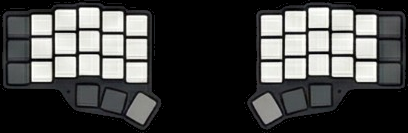
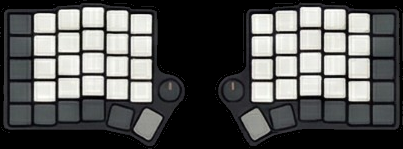
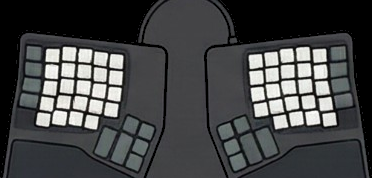
Works with your keyboard
From MacBook to mechanical split — no firmware flashing required
Home Row Mods
The keyboard upgrade you didn't know you needed
No more reaching
Ctrl, Alt, Cmd, and Shift live right under your fingers. No stretching to the corners of your keyboard.
Faster shortcuts
⌘+S becomes D+S. ⌘+C becomes D+C. Your fingers barely move.
Happier hands
Less strain, less fatigue. Home row mods are a game-changer for heavy keyboard users.
Why KeyPath does this better
Home row mods need precise timing to feel right. Kanata's tap-hold algorithm is the best on Mac.
- Basic tap-hold only
- Accidental triggers when typing fast
- Global timing only — can't tune per-key
- No bilateral combination support
- Multiple tap-hold modes Choose the behavior that matches how you type. Some people tap fast, others hold longer — KeyPath adapts to your style.
- Smart misfire prevention Type "as" fast and it just types "as" — not Ctrl+S. KeyPath is smart about the difference between fast typing and intentional shortcuts.
- Tune each key individually Your pinky moves slower than your index finger. Set different timing for each key so they all feel just right.
- Same-hand typing works perfectly Want Ctrl+Shift? Use keys from both hands. Just typing letters? Same-hand combos stay as letters. Almost zero accidental triggers.
Home row mods used to require custom keyboard firmware. Now you can have them on any Mac keyboard — including your MacBook's built-in keyboard. A guide to home row mods
Already using Kanata?
Keep your config. Keep your workflow. Just add a native Mac app.
How It Works
Kanata transforms simple keypresses into powerful actions.
Chords
Press multiple keys simultaneously
Layers
Switch between different key layouts
Tap-Hold
Tap for one key, hold for another
Tap-Dance
Different actions based on tap count
Leader Keys
Press leader, then a sequence
Sequences
Keys in order trigger an action
One-Shot
Modifier applies to next key only
Sticky Keys
Toggle modifiers on/off
Macros
Multiple keystrokes from one trigger
Caps-Word
Auto-caps until space or punctuation
Fork / Switch
Conditional actions based on other keys
Chords
Press multiple keys simultaneously for a new action
Layers
Switch entire key layouts on the fly
Tap-Hold
Tap for one action, hold for another
Tap-Dance
Different actions for single, double, triple tap
Leader Keys
Start a command sequence with a prefix key
Sequences
Type abbreviations that expand to full text
One-Shot Modifiers
Tap modifier, then tap key (no holding)
Sticky Keys
Modifier stays active until you tap it again
Macros
One key triggers a sequence of keystrokes
Caps-Word
Auto-caps until you hit space or punctuation
Fork / Switch
Choose action based on what other keys are held
What KeyPath Can Do
Keyboard remapping, window management, app launching, and more.
Basic Remapping
Transform any key into any other. Swap Caps Lock to Escape, or remap your entire layout.
Tap-Hold
One key, two purposes. Tap for one action, hold for another. Maximum efficiency.
Layers
Stack keyboard layouts like transparent sheets. Switch instantly between navigation, symbols, and more.
Home Row Mods
Modifiers on your home row. Tap for letters, hold for Ctrl, Alt, Cmd, Shift. No finger gymnastics.
Vim Navigation
HJKL as arrow keys. Navigate text, code, and apps without leaving home row. Vim muscle memory everywhere.
Macros
Chain multiple actions into one key. Save, close, and quit—all with a single press.
Launch Apps
Open any app with a keystroke. No dock, no Spotlight. Instant access to your tools.
Window Arranging
Snap windows to halves, quarters, or maximize. Tile your workspace without touching the mouse.
Ready?
Download KeyPath and start customizing your keyboard.
 D
D